
OUTLOOK CLASSIC
SETUP GUIDE · WINDOWS DESKTOP
Outlook Classic renders mail with the Word engine. These steps put your signature in place and keep it intact.
Go to the steps
- 01 Connect
- 02 Design
- 03 Roll out
- 04 Send
Three things
and you are ready.
Your signature is built
Finish it in the builder before you start here.
Copied as rich HTML
Use “Copy signature”, not plain text copy.
Outlook is closed once
Restart Outlook after saving so the signature loads.
Five steps.
Once per person.
Nothing is installed and nothing runs in the background. You copy a signature and paste it where Outlook Classic keeps it.
Copy the signature
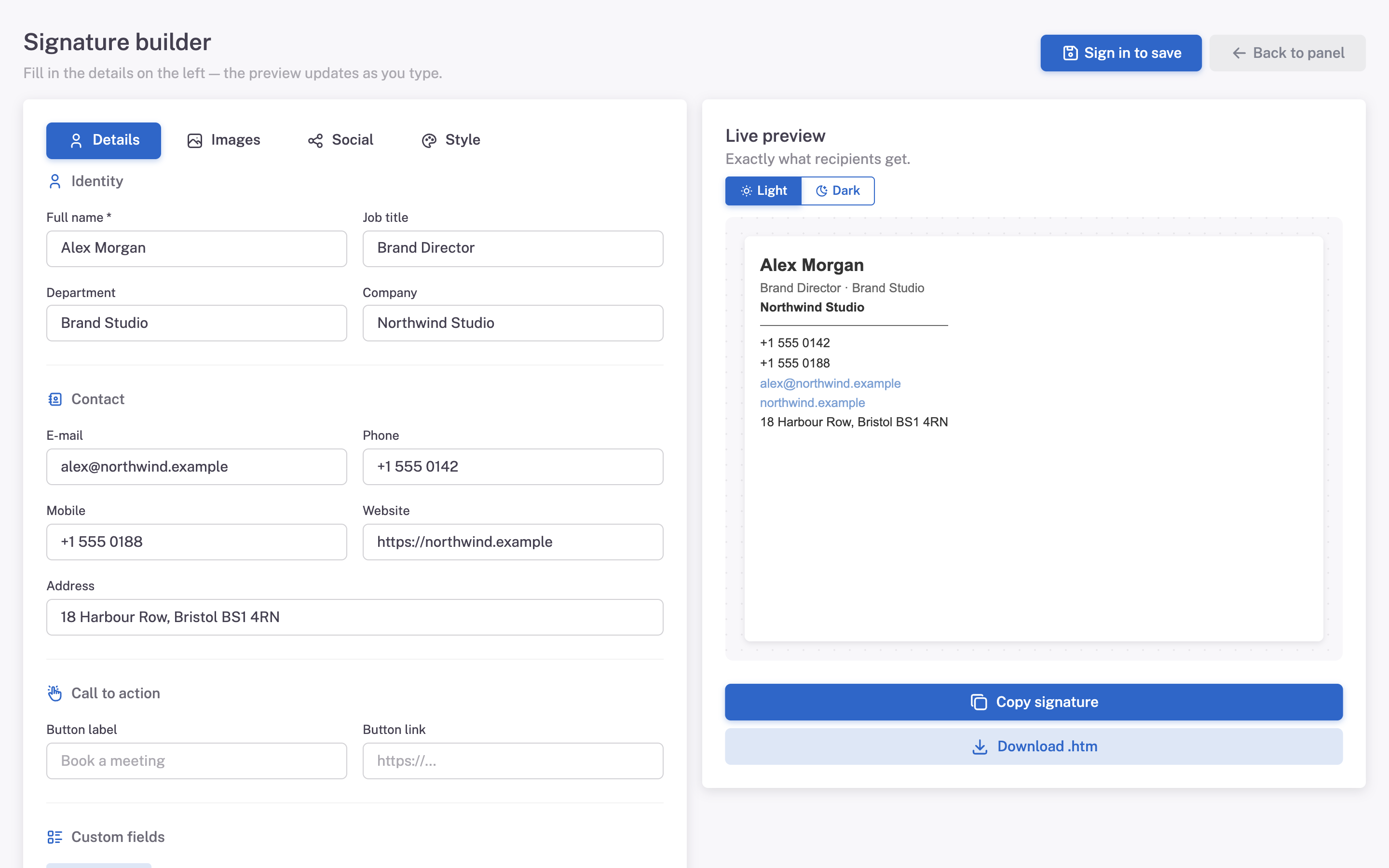
In Mailmyra, open the signature in the builder (Signatures → Edit in builder) and press Copy signature. The clipboard now holds the formatted signature, not the code.
Open the signature editor
In Outlook: File → Options → Mail → Signatures…
Create a new signature
Click New, give it a name, then paste into the edit box with Ctrl + V.
Set the defaults
Pick the signature for New messages and for Replies/forwards, then press OK.
Send yourself a test
Compose a new message and check the signature before sending it anywhere else.
What it should
look like.
Images sit at their intended size, the layout does not break into a single column, and links stay clickable.
- Logo shows as a red X The image URL is not reachable. Export again so images point at cdn.mailmyra.com.
- Extra table borders appear A known Outlook 2512 bug. Re-copy from Mailmyra — our output sets border:none explicitly.
- Everything is left aligned in one column The signature was pasted as plain text. Copy again with Copy signature.
Why this client is the hard one
The engine
Desktop Outlook renders HTML with Microsoft Word, not a browser. Flexbox, grid, float and modern CSS simply do not exist there.
What we do
Every signature is built as nested tables with fully inline styles, so nothing depends on a stylesheet that will never arrive.
Asked about
Outlook Classic.
Do I need an add-in?
No. Nothing is installed. You paste a signature into the client you already use.
Can I use the .htm file instead?
Yes. Download the .htm file and drop it into the Outlook Signatures folder, then restart Outlook.
Will my colleagues need to repeat this?
Each person adds the signature once on their own machine, or you distribute the .htm file to the team.